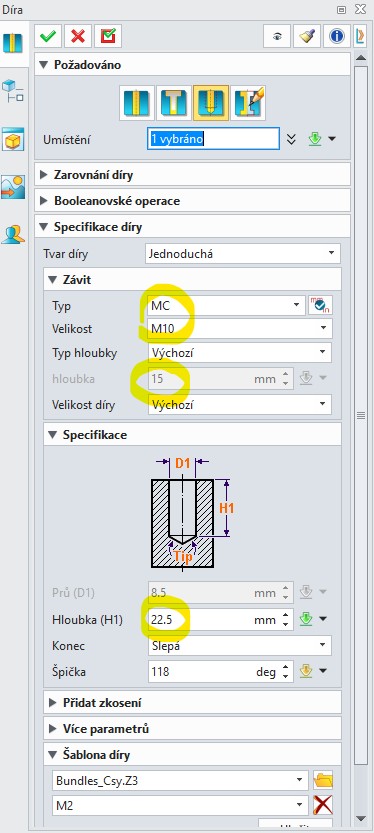
Hi, how can i set my own thread length in cad? I don’t want to have a hole depth in tenths of a millimeter (e.g. 22,5 mm).I found a file “Thread.xml” with correct lengths definitions in the directory ZW2026, but these values are not displayed in the command menu. See pictures. I How do I permanently set the thread runout (drilled hole depth) for example M10 thread lenght + 5 mm? Thanks Peter
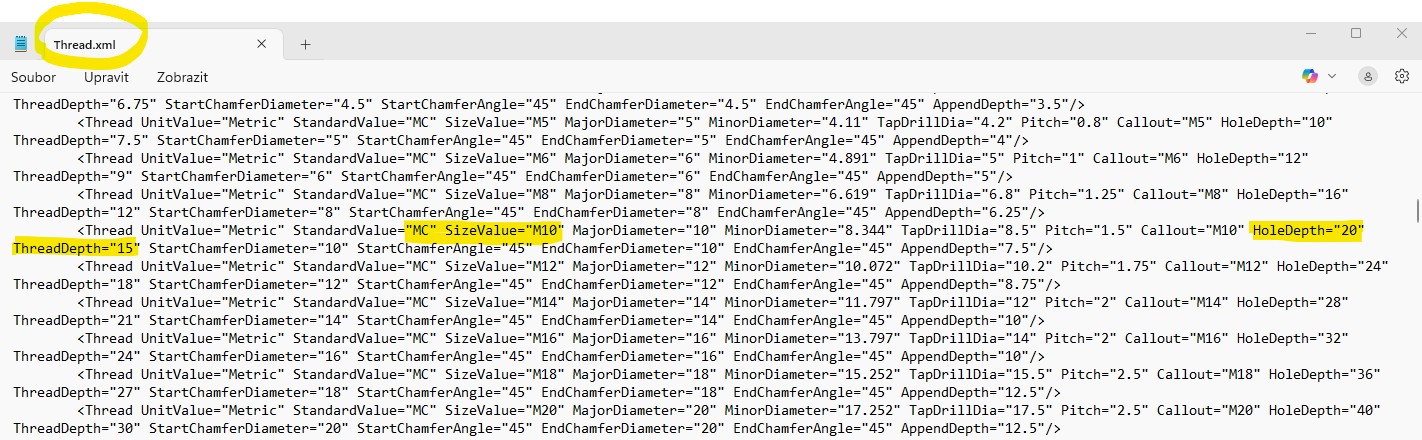
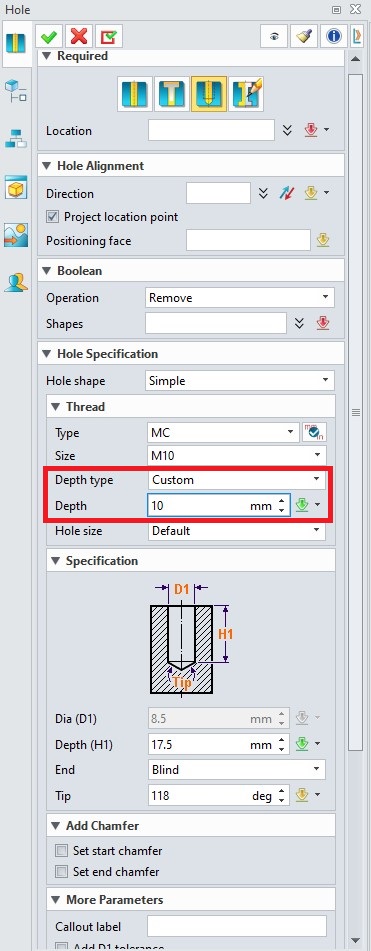
Hi Manuel, thanks for reply. This option (i.e. custom hole depth) I know, but it is not reason. It create defined hole size only in this moment. When I choose (during modeling) other hole type to create and then I want to create first hole again, all previous settings (i.e. hole depth) is changed / lost. I need set my preferred hole sizes forever. All values have to be somewhere defined, in some file. And only there can be change to forever. But where?
Hi,
I did some testing and found that the depth of the pre-drilled hole is related to the parameter, for example, for an M10 thread → AppendDepth=“7.5”
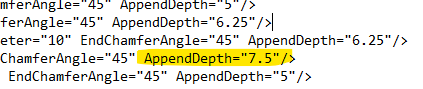
The depth of the hole is given by the thread depth type + AppendDepth (e.g. 1.5xdiameter + AppendDepth)
1 Like
Hi, this looks promising! It’s solved similarly in NX - that’s why I was looking for the file named Threads etc. I’ll try it out asap.
 This is exactly what I needed. Works perfectly! Many thanks
1 Like