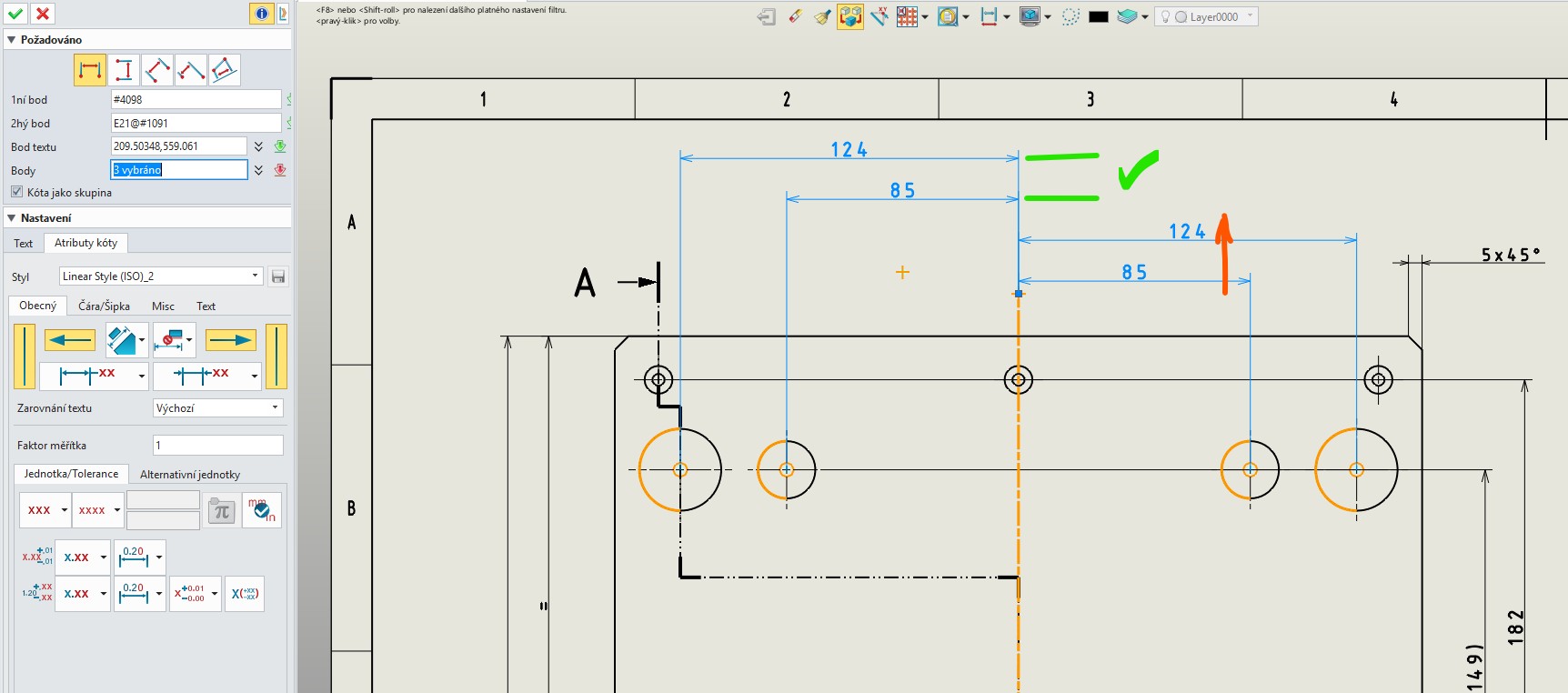
When creating Linear Baseline Dimension (2D) are “left” and “right” (or upper and lower for vertical direction) dimensions shifted relative to each other. I need it align to the same level. It is possible? Is there some setting for it? Thanks.
Watch the video.
Drag the dimensions with the left mouse button and
you will see a dashed blue line that allows you to align the dimensions.
video.zip (8.1 MB)
Yes, I know and I am using this method now. But I don’t want to create baseline dimensions in two steps - left and right side separately. It is obvious, that ZW3D can create baseline dimensions on both sides in one step (like other CADs), but how to cancel the offset?
Hi Manuel,
Just restart the baseline dimension function for the left or the right side.
Demonstration in the video.
Best regards.
Peter
Baseline Dimensions.zip (2.0 MB)