Hi,
know enybody, how to hide selected layer permanently? Some entities which I use for work are temporary / helpful and I want to hide them. And display them again if necessary. I do not want delete them. I tryed use “bulb” and freeze layer icon. But when I use blank / unblank view, hided layer is visibility again. Pleaso for help.
Petr
Hi Peter, exactly where are you trying to hide layers.
Normally you’d modify your templates to be exactly as you want so permanent changes are present when you start a ne model, drawing etc.
You can set up multiple named layers in your model or assembly temple then access these anytime.
Does that help?
Cheers - Paul
Hi Paul,
No, it doesn´t  I need to solve body visibility during modeling. I found in ZW3D only two options, how to solve visibility:
first - commands Blank/Unblank/Blank Swap
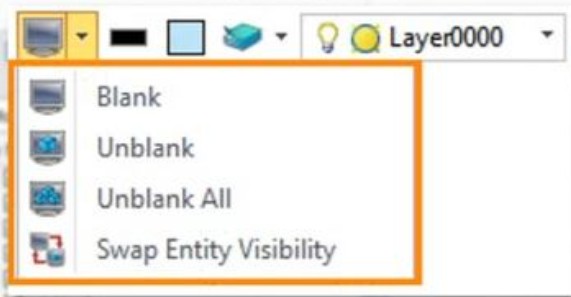
, and second - by Layer manager On/Off/Frozen
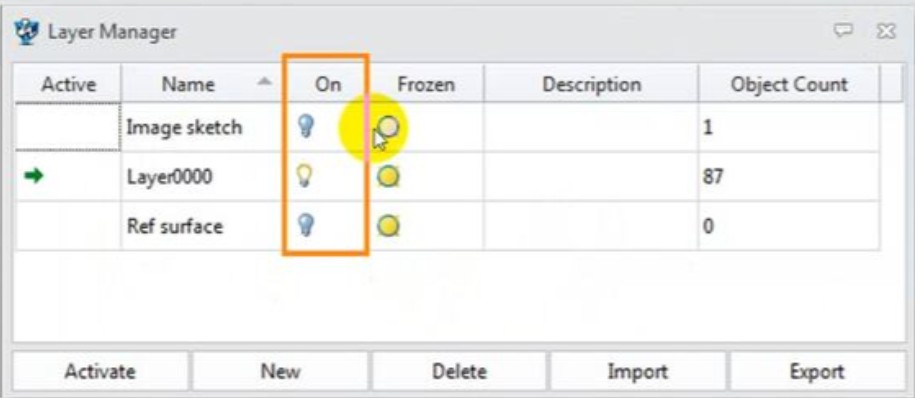
I use very often command Blank Swap for switching view. I work with many entities, and I need some of them hide for longer time, not only until to swap moment. For example - in Siemens NX I am able to turn off selected layer. All entities in this layer is permanently hide even during using Blank Swap (as the same function as ZW3D). I need to find the same functionality in ZW3D. Thanks Peter