Hi, I’m wondering if there is a function in ZW3D that combines two objects along a path? I’ve had this problem for a long time, and at this point I don’t know how to approach it.
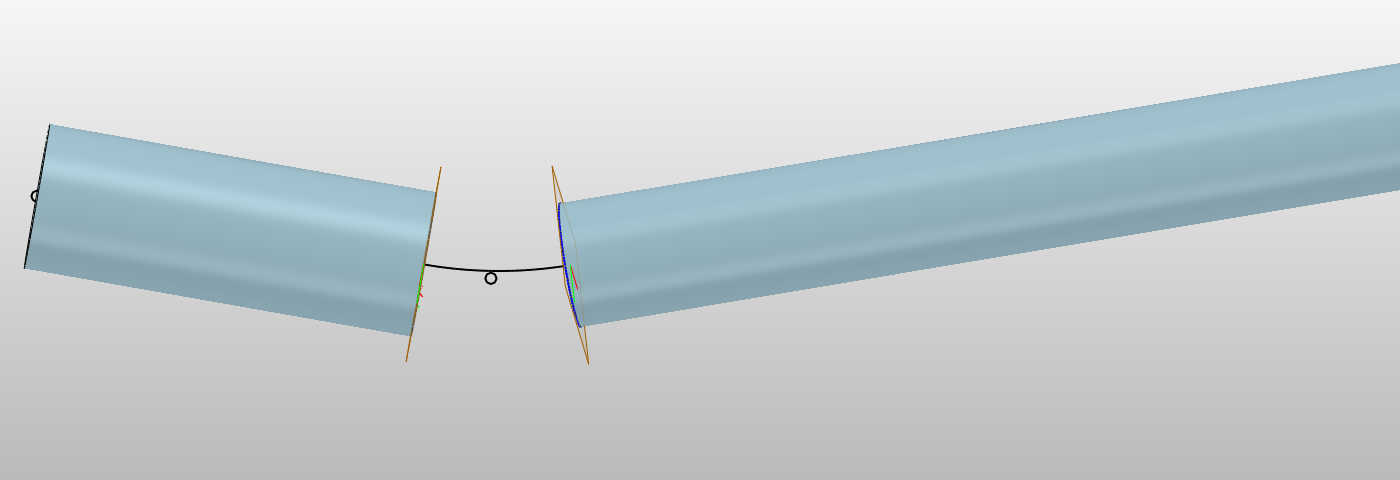
(picture for better understanding, rods are 6&7mm)
Hi, I’m wondering if there is a function in ZW3D that combines two objects along a path? I’ve had this problem for a long time, and at this point I don’t know how to approach it.
I would create a “Curve List” from the middle segment of the sketch.
Sweep with “Profile” & “Path”.
That’s it!
Yasser
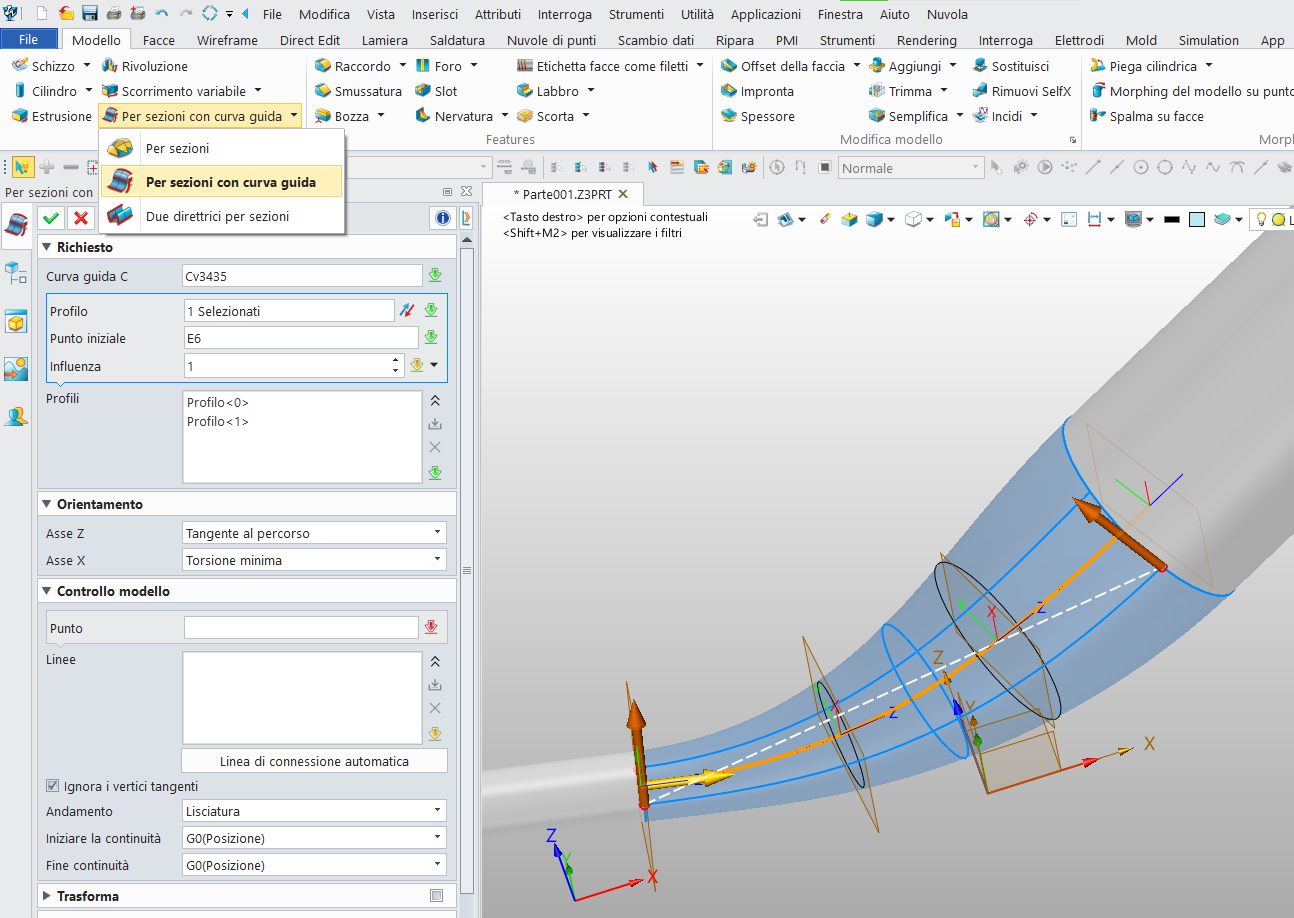
Hello, you could use the “Drive Curve Loft Face” command.
First select the drive curve, then the first profile and middle-click. Then select the second profile and middle-click.
Pay attention to the direction of the profile arrows; if necessary, specify the starting point of the profiles to obtain a smooth surface.
Then you can join them into a single solid with Add Shape.
Thanks a lot for your reply. I really appreciate it, but it’s not exactly what I’m looking for. I’m trying to achieve a smooth transition between different dimensions.
Thanks for replying. This is exactly what I’m looking for, but unfortunately, my ZW3D doesn’t have this option (or the morphing functions). Is it possible that I need the Pro version to be able to use such functions?
Remove the end faces from the to objects you with to join. Then Select the edges and you get full tangency control using Loft.
Cheers - Paul