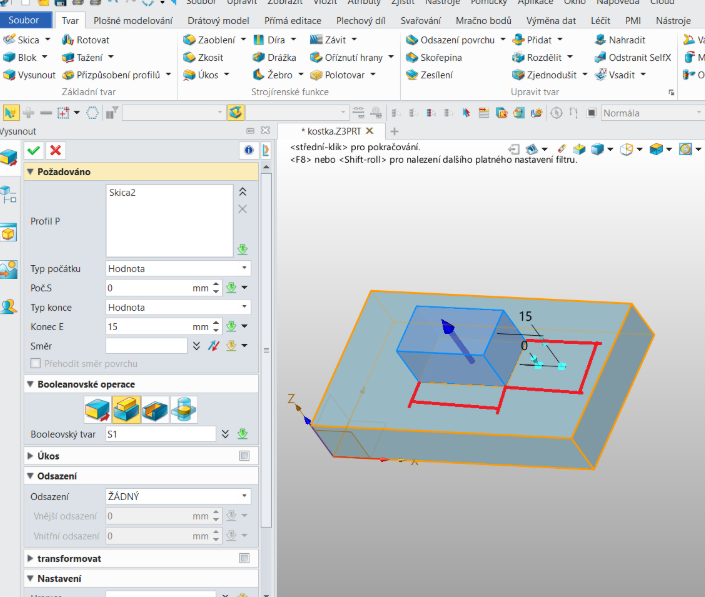
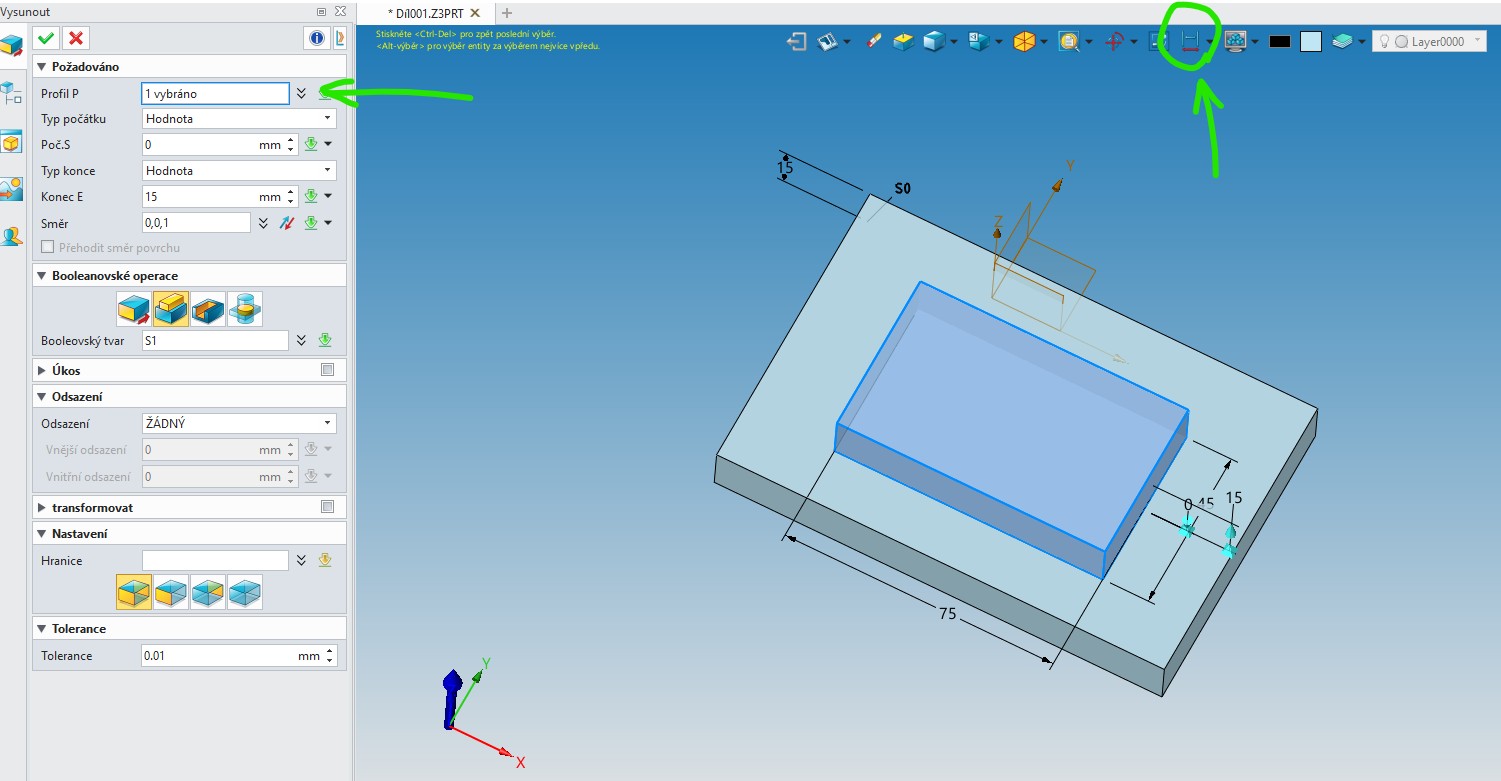
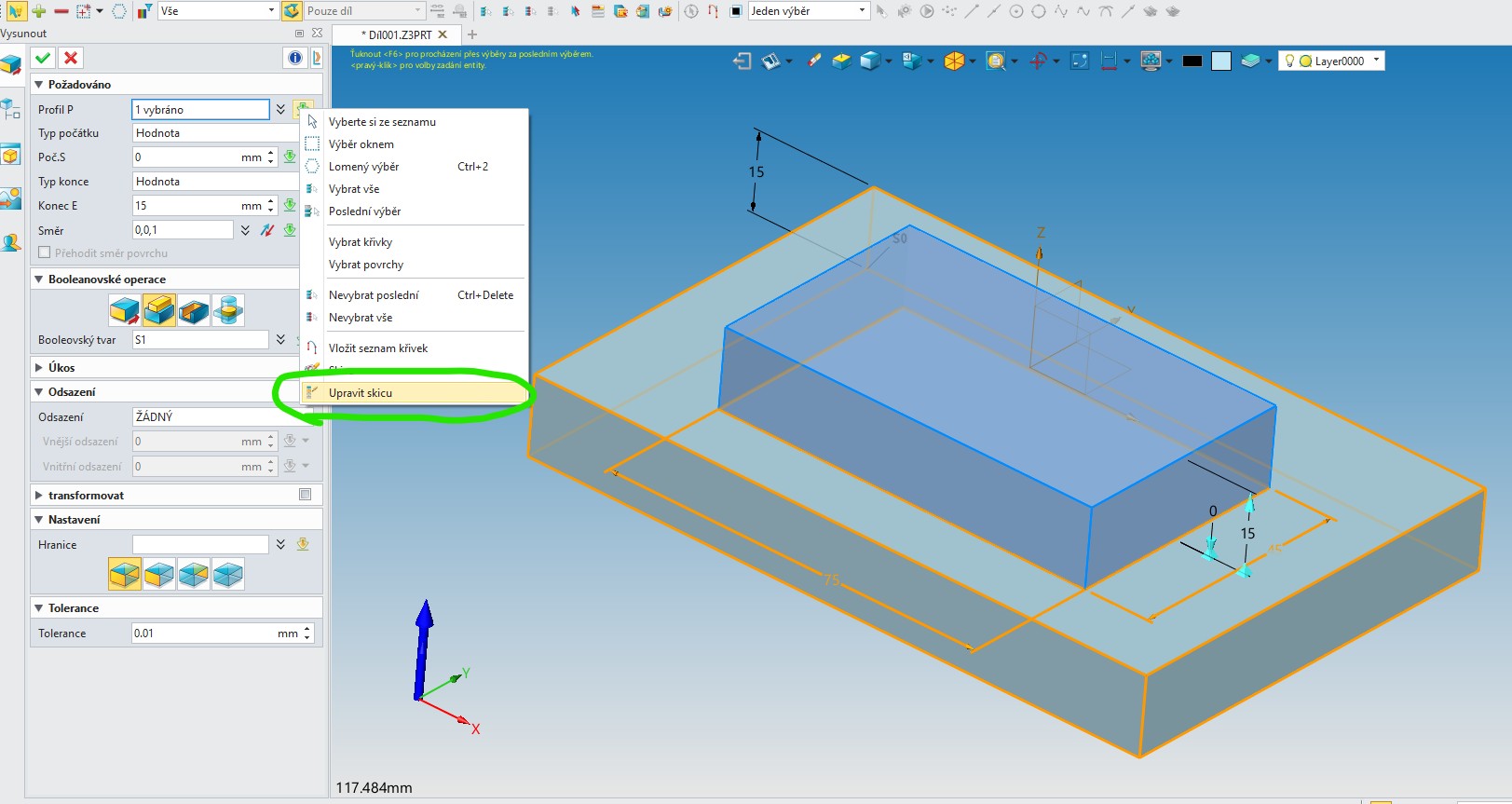
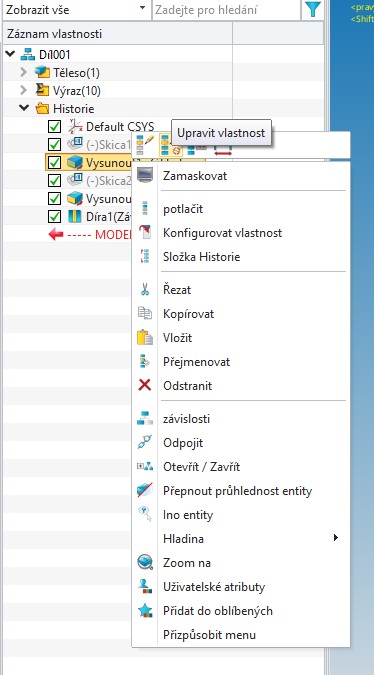
ad .1: Clic to icon “Show dimension” for switch on visibility of all dimensions (inc. values of extusion etc.). Unfortunatelly is not posible to edit it by double click. Only by “Edit sketch” in RMB or by open menu under green arrow. CZ: Klikněte na ikonu “Kóty Zap/Vyp” a budou vidět všechny kóty, vč, hodnot skici či extruze a pod. Bohužel nelze tyto kóty editovat poklikáním, pouze editací pod pravým tlačítkem (“Uprav skicu”) či tím stejným přístupným pod zelenou šipkou.
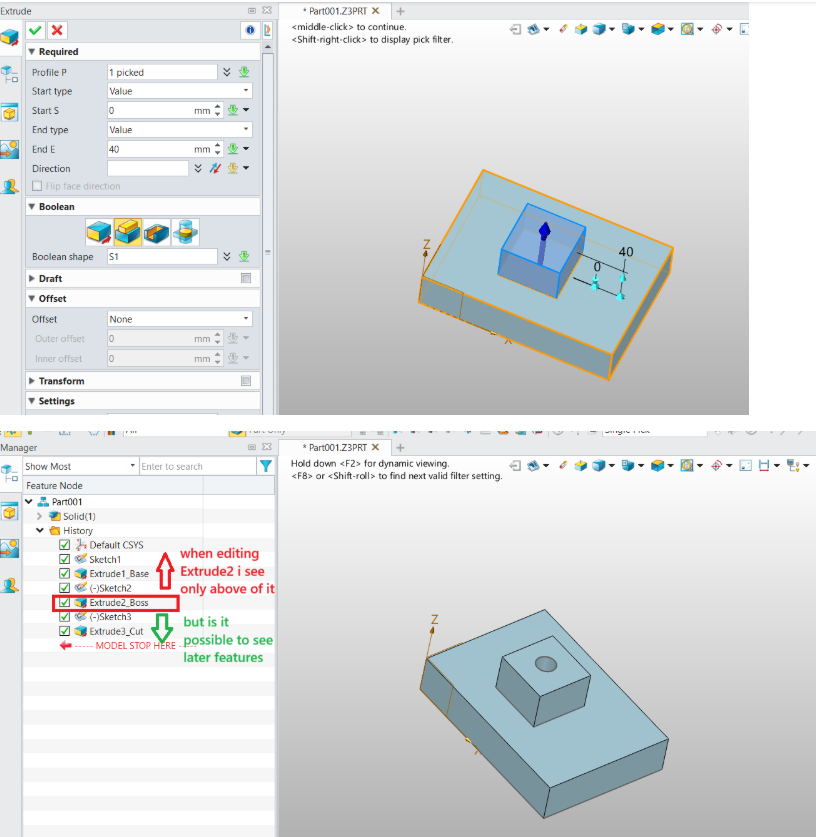
ad. 2: when choose “Edit feature” (under RMB) then you can edit feature dimension (hole size, extusion value) with visibility all next shapes CZ: Když se vybere “Uprav vlastnost” jsou vidět i všechny později vytvořené prvky. Lze takto ale editovat jen vlastnost prvku (velikost díry, výška extuze atd) ale ne třeba výchozí skicu.